50% off every templateCode BF50, added for you
Shop
Dental Clinic Templates700 posts + bonuses · from $39
View
Personal Finance Templates700 posts + bonuses · from $39
View
Travel Agency Templates500 posts + bonuses · from $29
View
100 Wellness Video Templatesfrom $29
View
Accounting Carousels30 done-for-you carousels · from $29
View
Ad Templates for Any Business300 Canva Ad Templates · from $29
View
E-Commerce Templatesnow 500 posts & stories · from $39
View
33 new this month






Secure checkout · Instant delivery to your email


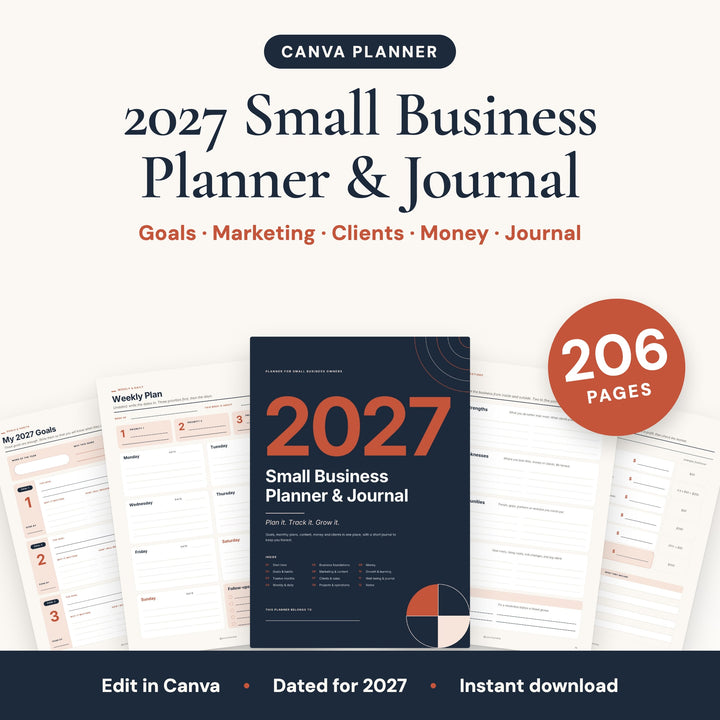
Canva planner · A4 · dated for 2027
Plan 2027 and run your small business from one planner.
A 206-page A4 planner and journal for small business owners. Goals and habits, all twelve months, weekly and daily pages, business foundations, marketing and content, clients and sales, projects, money, learning and owner well-being.
206pages, 12 sections
A4210 x 297 mm, prints on Letter too
2027dated, weeks start Monday
Canvaworks with the free version
What's inside
Every page below is a real page from the planner. Type into it in Canva, or print it and write.

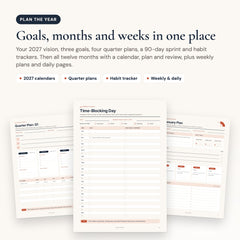
Year at a glance
All twelve months of 2027 on one page, plus 2028 for bookings ahead.

Yearly goals
Three clear goals for 2027, each with a reason and a finish line.

Quarter plans
One page per quarter: three goals, milestones and the numbers to hit.

Monthly calendars
A calendar, a month plan and a month review for every month of 2027.

Weekly plan
Three priorities, the week day by day and a follow-up list.

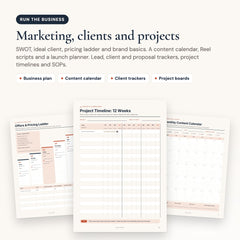
SWOT
Strengths, weaknesses, opportunities and threats, and what to do next.

Content calendar
A month of posts at a glance, plus Reel, carousel and Stories planners.

Client profile
One page per key client, with lead, proposal and follow-up trackers.

Project timeline
Twelve weeks of a project as bars, with briefs, task boards and SOPs.

Cash flow forecast
Six months ahead, with income, expense, invoice and tax trackers.

Pricing worksheet
Work out a price that pays for your time, your costs and a profit.

Monthly journal
Twelve journal pages, quarterly reflections and a year in review.
How it works
1
Download the PDF
Your download has two Canva template links, one for each part.
2
Open both in Canva
Click Use template on each and they become your own copies. Free Canva is enough.
3
Fill it in or print it
Type straight into the pages, change colours and fonts, duplicate any page, then print or save as PDF.
Good to know
- 206 pages, A4 (210 x 297 mm); scale to US Letter when printing.
- Dated for 2027 (weeks start on Monday), with 2028 at a glance. Weekly and daily pages are undated, so print as many as you need.
- For any small business: shops, salons, coaches, makers, freelancers, cleaners, consultants and online sellers.
- Instant download: a PDF with two Canva template links. Part 1 has pages 1-109, Part 2 pages 110-206.
How it works
- Buy once, get it instantlyRight after checkout you get a PDF with your Canva template links, on screen and by email.
- Open the links in CanvaEach link makes your own copy of the templates. They work with the free version of Canva.
- Make them yours and postChange the text, colours, logo and photos, then download or schedule your posts.
- Choosing a selection results in a full page refresh.